
Step by step
- 01
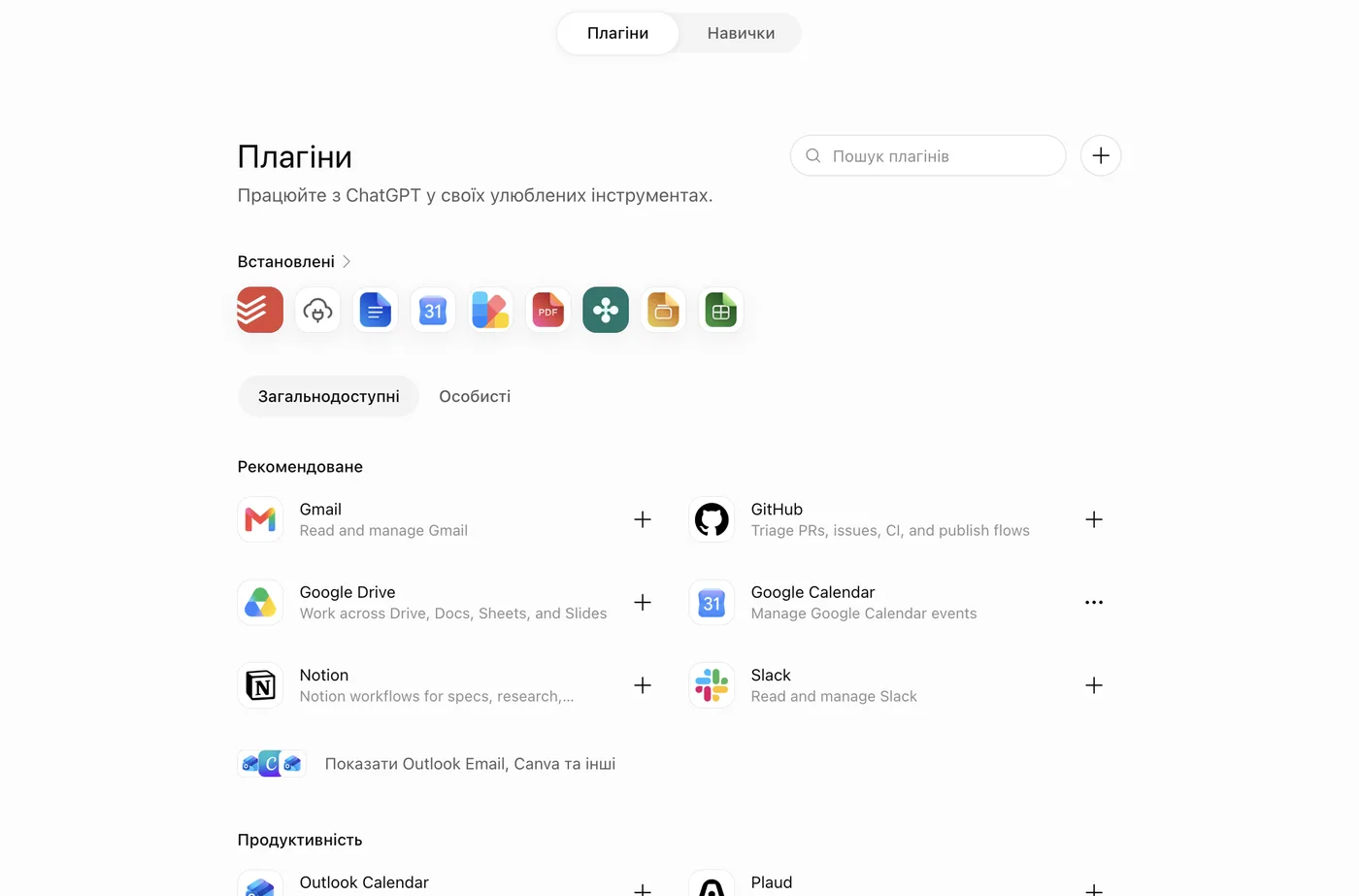
Open Plugins and press “+”
On chatgpt.com open Settings → Plugins and press “+” next to the search. No “+” button? First turn on developer mode — it is a single toggle.
- 02
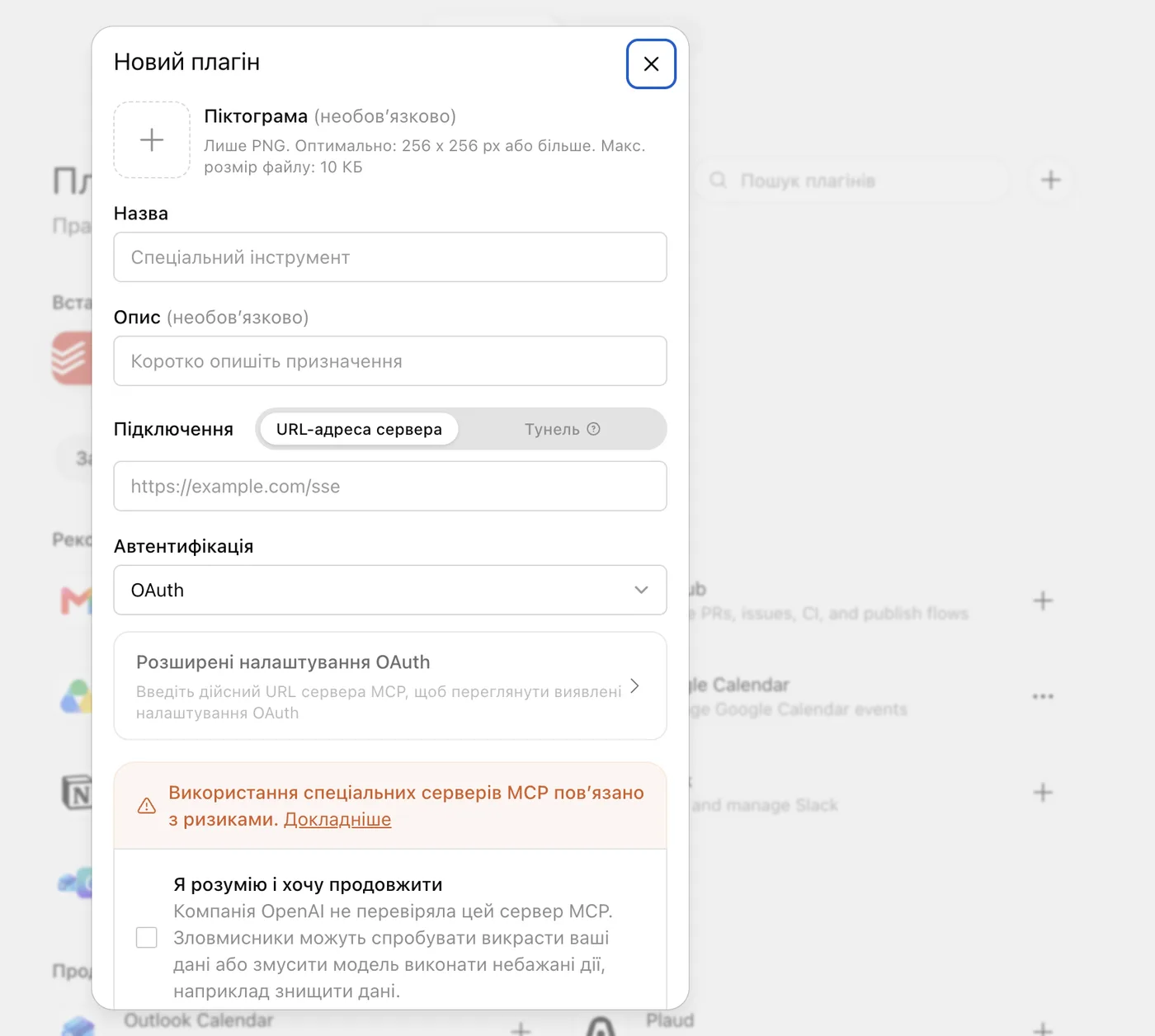
Fill in the plugin
Name — UNIT 117. The description can stay empty. Connection — server URL: paste your MCP URL in full, with no spaces. Authentication — No authentication.
- 03
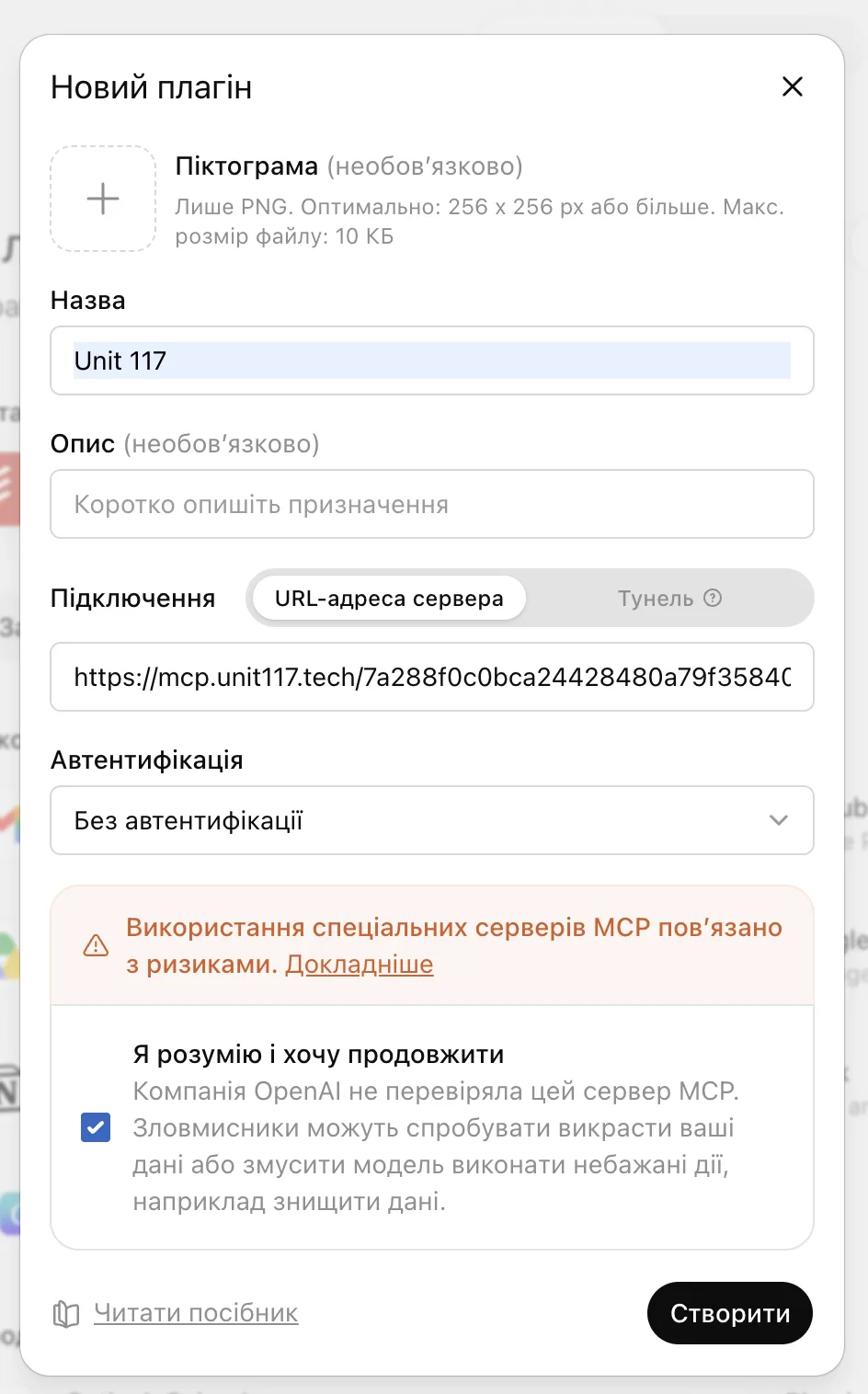
Confirm and create
Tick “I understand and want to continue” → Create. The UNIT 117 plugin appears in the list.
- 04
Check it in a chat
In a new chat type @ and pick UNIT 117 from the list — this makes sure the assistant goes to the base. Then write: “Show me which UNIT 117 data I can access”.
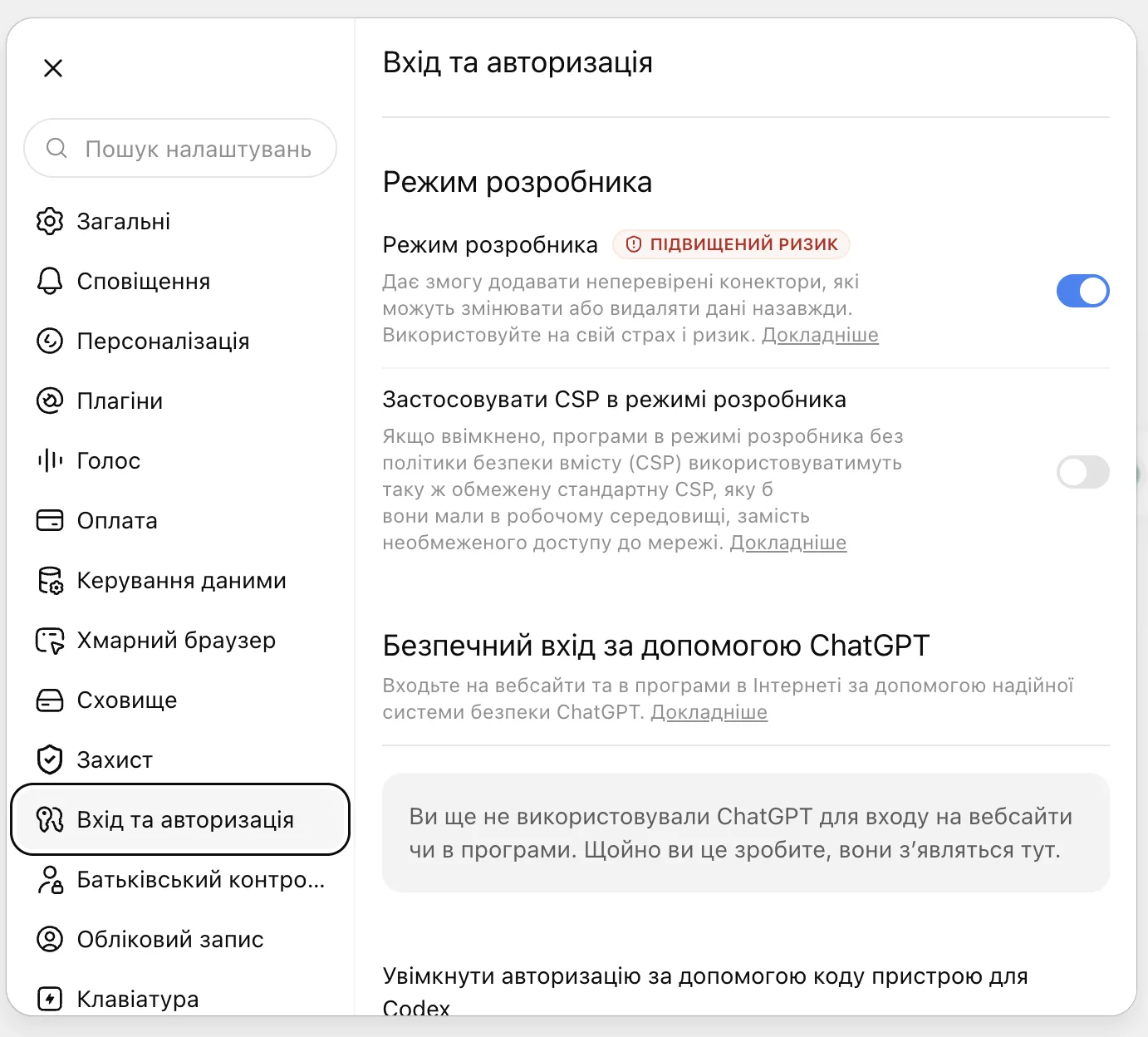
No “+” button? Turn on developer mode
On some accounts OpenAI requires developer mode for custom connectors. Settings → Security and login → turn on Developer mode, then close and reopen settings. The “elevated risk” label is standard for all custom connectors.
Business and Enterprise
In a workspace, an admin usually adds the connector: they create the UNIT 117 app with your URL and publish it to the team. Members then find UNIT 117 in Plugins and connect. The licence is named — each user needs their own URL, so write to your account manager.
If something is off
- No Plugins section or “+” button. Check that your plan is paid and you are on the web. Turn on developer mode and refresh the page. In a workspace an admin may have switched it off.
- The plugin is there but has no tools. Check the URL was pasted in full. Delete the plugin and create it again.
- The answer has no base data. Type @ and pick UNIT 117, or mention “UNIT 117 MCP” in your request — see How to ask.
- Mobile app. Add the plugin on the web first, then update and restart the app.
The screenshots show the Ukrainian ChatGPT interface; OpenAI renames and moves menu items from time to time.
Cannot connect? Write to your account manager or to info@unit117.tech.